When SmartGlasses Meet Styling
Outspoken SmartGlasses combine colorful eyewear with intelligent technology to keep you effortless

Listen to Music
Built-in microphone
Pick Up Calls
Built-in speaker
Touch & Gesture Control
Easy Tap & Slide
Translation App
Key to Unlock App
Step By Step Instructions

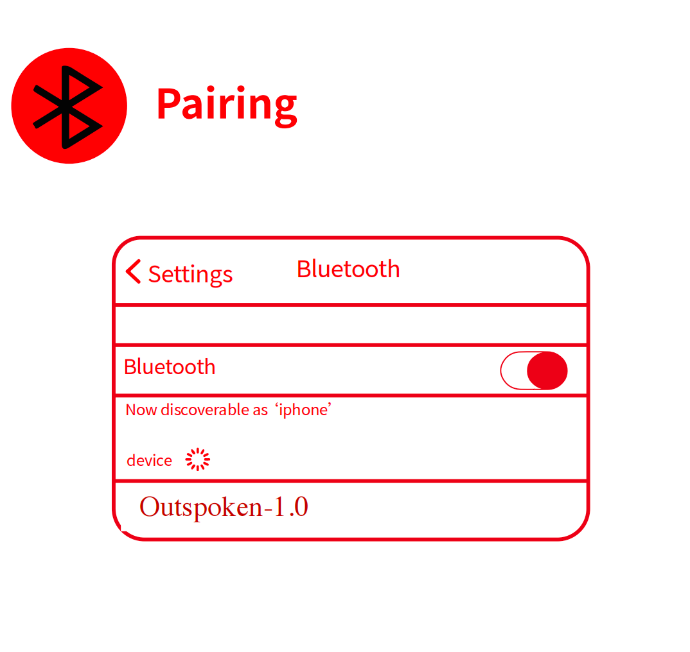
Bluetooth Pairing
Connect your smartglasses in just a few steps:
- Turn on Bluetooth on your phone
- Select “Outspoken-1.0” from device list
- Connected and ready to use
The glasses will reconnect automatically when Bluetooth is enabled.

Listen to Music
Enjoy music seamlessly with built-in speakers and intuitive touch controls.
How to Play & Pause
- Single tap on the temple to play music
- Single tap again to pause music
Wear Detection
- Music automatically pauses when remove the glasses
- Music automatically resumes when put them back on
Change Tracks
- Double tap to skip to the next song
Adjust Volume
- Slide forward on the right panel to increase volume
- Slide backward on the right panel to decrease volume

Genimiro App &
Real-time Translation
Outspoken SmartGlasses include free access to the Genimiro mobile app, unlocking powerful translation features when paired with your phone.
What Genimiro Allows You to Do
- Real-time translation between any two languages
- Ideal for travel, business meetings, and global communication
- Make calls through the app and follow live translations on your phone
Important: Translations appear on your phone screen, not on the glasses. The smartglasses act as a key to unlock Genimiro

Phone Calls
Handle calls hands-free with built-in speakers and microphone
Answer a call: touch key (left or right) 1 click
Reject a call: long press the touch key
(left or right) for 1.5 seconds
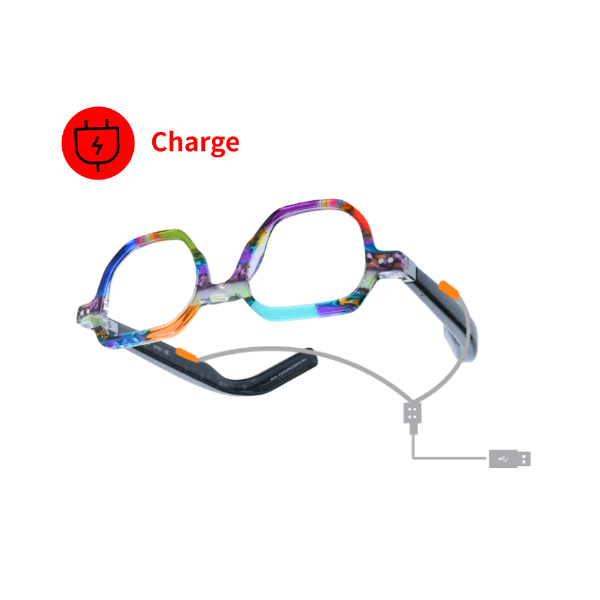
Magnetic Charging
Attach the magnetic charging cable
Orange light – Charging. Orange light is always on when charging
Green light – Fully charged. The green light will be on for 1 minute and then turn off
Charging time - A full charge takes approximately 30 minutes, giving you up to 8 hours of continuous playback at 50% volume from the built-in 110 mAh battery
Note: the glasses will be turned off automatically when
charging
Gestures